// =========================================================================
// REMOVE ADDITIONAL INFORMATION TAB
// =========================================================================
add_filter( 'woocommerce_product_tabs', 'remove_additional_information_tab', 100, 1 );
function remove_additional_information_tab( $tabs ) {
    unset($tabs['additional_information']);

    return $tabs;
}

// =========================================================================
// ADD ADDITIONAL INFORMATION AFTER ADD TO CART
// =========================================================================
add_action( 'woocommerce_single_product_summary', 'additional_info_under_add_to_cart', 35 );
function additional_info_under_add_to_cart() {
    global $product;

    if ( $product && ( $product->has_attributes() || apply_filters( 'wc_product_enable_dimensions_display', $product->has_weight() || $product->has_dimensions() ) ) ) {
        wc_display_product_attributes( $product );
    }
}
Free
How to show custom message based on shipping class on single product page
// =========================================================================
// Custom Text on Product Page based on Shipping Class
// =========================================================================
function display_shipping_class_on_product_page() {
    $product = wc_get_product();

    $shipping_class = $product->get_shipping_class();

    switch ( $shipping_class ) {
        case 'your_shipping_class_1':
            echo '';
            break;
        case 'your_shipping_class_2':
            echo '';
            break;
    }
}
add_action( 'woocommerce_single_product_summary', 'display_shipping_class_on_product_page', 10 );
Two-third / One-third Gutenberg columns
/* Small devices (tablets, 768px and up) */
@media (min-width: 768px) {
 .two-third .wp-block-column:first-child {
	flex-basis: 66%;
  }
}
Add page title with featured image as background in Genesis
Step #1 Create a file with name “page-title.php”
You can set a static background image in the else statement, just replace the dotted line with your uploaded image URL:
Step #2 Add this snippet to functions.php
Step #3 Add this to your CSS
Custom Post Type and Taxonomy
Create file named post-types.php in the mu-plugins (must use) folder:
wp-content/mu-plugins/post-types.php
If You’re using variables, only it’s name need to be changed
You can use more parameters
Remove slug from custom post type post URLs
If You don’t want to use the Custom Post Type’s slug, just paste this snippet in your functions.php and rewrite the post type:
How to list categories in a dropdown menu
<?php
    if( $terms = get_terms( array(
        'taxonomy' => 'category', // to make it simple I use default categories
        'orderby' => 'name'
    ) ) ) :
        // if categories exist, display the dropdown
        echo '<div class="isotope-filter-wrapper">';
            echo '<select name="categoryfilter"><option value="">Select category...</option>';
            foreach ( $terms as $term ) :
                echo '<option value="' . $term->term_id . '">' . $term->name . '</option>'; // ID of the category as an option value
            endforeach;
            echo '</select>';
        echo '</div>';
    endif;
?>
How to Remove Storefront Page Title
// =========================================================================
// REMOVE STOREFRONT PAGE TITLE
// =========================================================================
function storefront_remove_title() {
    remove_action( 'storefront_page', 'storefront_page_header' );
}
add_action( 'wp', 'storefront_remove_title' );
WordPress Loop
Display posts on specific pages with WordPress loop
Loop WordPress post titles:
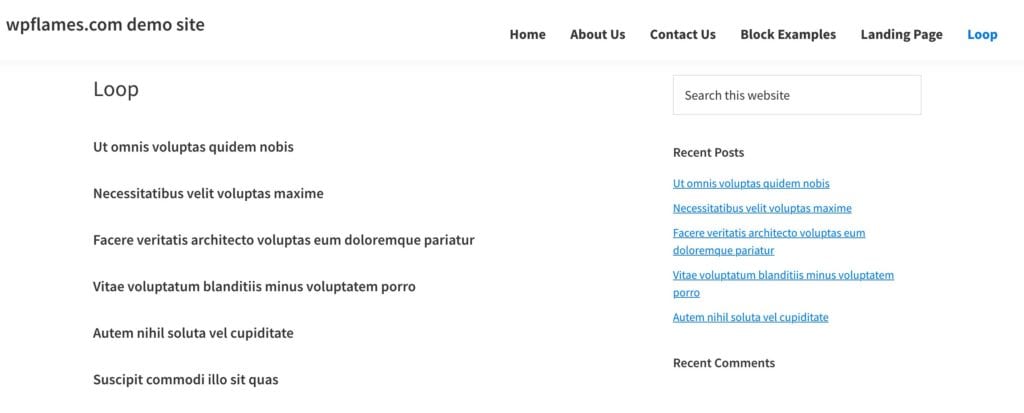
You can use these WordPress core functions inside the loop:
the_title();
the_excerpt();
the_content();
the_permalink();
the_post_thumbnail();
Place these PHP functions in your HTML structure and add some line of CSS
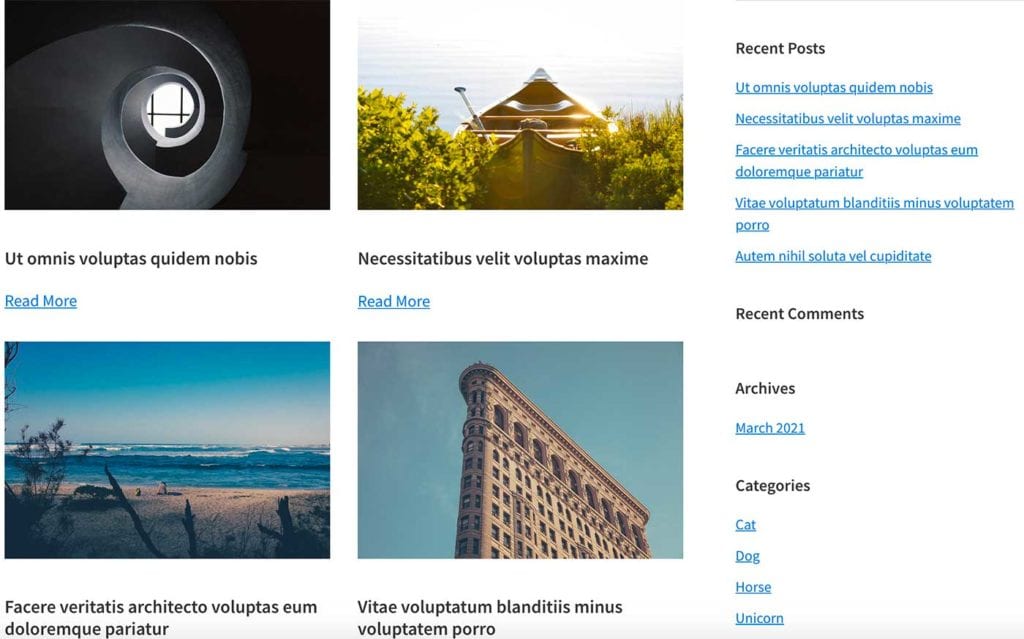
Genesis Loop with Pagination
Add custom image size to media image
// =========================================================================
// ADD CUSTOM IMAGE SIZE
// =========================================================================
add_image_size( 'custom-size', 800, 540, array( 'left', 'top' ) ); // Hard crop left top
Add class to the excerpt with filter
// =========================================================================
// ADD CLASS TO EXCERPT
// =========================================================================
add_filter( "the_excerpt", "add_class_to_excerpt" );

function add_class_to_excerpt( $excerpt ) {
    return str_replace('<p', '<p class="card-text"', $excerpt);
}
Add cart icon with item numbers to Storefront header
// =========================================================================
// REMOVE ACCOUNT AND SEARCH ICON FROM storefront-handheld-footer-bar
// =========================================================================
function jk_remove_handheld_footer_links( $links ) {
	unset( $links['my-account'] );
	unset( $links['search'] );
	return $links;
}
add_filter( 'storefront_handheld_footer_bar_links', 'jk_remove_handheld_footer_links' );

// =========================================================================
// REMOVE STOREFRONT HANDHELD BAR
// =========================================================================
function remove_storefront_handheld_footer_bar() {
  remove_action( 'storefront_footer', 'storefront_handheld_footer_bar', 999 );
}
add_action( 'init', 'remove_storefront_handheld_footer_bar' );

// =========================================================================
// MOVE STOREFRONT HANDHELD FOOTER BAR WITH CART ICON TO HEADER
// =========================================================================
add_filter( 'storefront_header', 'storefront_handheld_footer_bar' );
Shortcode with attributes – custom link and text
// =========================================================================
// BUTTON SHORTCODE WITH ATTRIBUTES
// =========================================================================
function btn_shortcode( $atts, $content = null ) {
    $a = shortcode_atts( array(
        'href'  =>  '#',
        'text' => ''
    ), $atts );

    return '<a class="btn-cta" href="' . esc_attr($a['href']) . '">' . esc_attr($a['text']) . '</a>';
}
add_shortcode( 'button', 'btn_shortcode' );
Add parent page slug to body_class
// =========================================================================
// ADD PARENT PAGE SLUG TO BODY CLASS
// =========================================================================
function body_class_section($classes) {
    global $wpdb, $post;
    if (is_page()) {
        if ($post->post_parent) {
            $parent = end(get_post_ancestors($current_page_id));
        } else {
            $parent = $post->ID;
        }
        $post_data = get_post($parent, ARRAY_A);
        $classes[] = 'parent-' . $post_data['post_name'];
    }
    return $classes;
}
add_filter('body_class','body_class_section');
Add top header widget to Storefront
// =========================================================================
// ADD CUSTOM WIDGET - TOP HEADER
// =========================================================================
add_action( 'widgets_init', 'register_new_top_header' );

function register_new_top_header() {

  register_sidebar(array(
    'id' => 'top-header',
    'name' => __( 'Top Header', 'storefront' ),
    'description' => __( 'Top Header.', 'storefront' ),
    'before_widget' => '<div id="%1$s" class="widget %2$s">',
    'after_widget' => '</div>',
    'before_title' => '<h4 class="widgettitle">',
    'after_title' => '</h4>',
  ));
}
// =========================================================================
// CREATE FUNCTION FOR TOP HEADER WIDGET
// =========================================================================
function top_header_widget(){
    dynamic_sidebar('Top Header');
}
// =========================================================================
// HOOK THE WIDGET BEFORE HEADER
// =========================================================================
add_action( 'storefront_before_header', 'top_header_widget', 2 );
Remove Storefront sidebar from single product, cart and checkout page
Remove sidebar from cart page in Storefront
// =========================================================================
//REMOVE SIDEBAR OF STOREFRONT CART PAGE
// =========================================================================
function remove_cart_sidebar_storefront() {
    if( is_cart()){
	    remove_action( 'storefront_sidebar', 'storefront_get_sidebar', 10 );
        add_filter( 'body_class', function( $classes ) {
            return array_merge( $classes, array( 'page-template-template-fullwidth page-template-template-fullwidth-php ' ) );
        } );
    }
}
add_action( 'wp', 'remove_cart_sidebar_storefront' );
Remove sidebar from single product page in Storefront
// =========================================================================
// REMOVE SIDEBAR FROM SINGLE PRODUCT PAGE IN STOREFRONT
// =========================================================================
add_action( 'get_header', 'wpninja_remove_storefront_sidebar' );

function wpninja_remove_storefront_sidebar() {
    if ( is_product() ) {
        remove_action( 'storefront_sidebar', 'storefront_get_sidebar', 10 );
        add_filter( 'body_class', function( $classes ) {
            return array_merge( $classes, array( 'page-template-template-fullwidth page-template-template-fullwidth-php ' ) );
        } );
    }
}
Conditionally add Full-Width Layout for Storefront with ACF and custom body_class
Create a True / False custom field with ACF Pro
Add this to functions.php
// =========================================================================
// FULL WIDTH CHECKBOX
// =========================================================================
function add_full_width_layout(){
     if( get_field('full_width') ){
remove_action( 'storefront_sidebar', 'storefront_get_sidebar', 10 );
       add_filter( 'body_class', function( $classes ) {
            return array_merge( $classes, array( 'page-template-template-fullwidth page-template-template-fullwidth-php ' ) );
        } );
    }
}
add_action( 'wp', 'add_full_width_layout' );
Remove Storefront built-in homepage sections
function remove_storefront_home_sections( $args ) {
    remove_action( 'homepage', 'storefront_product_categories', 20 );
    remove_action( 'homepage', 'storefront_recent_products', 30 );
    remove_action( 'homepage', 'storefront_featured_products', 40 );
    remove_action( 'homepage', 'storefront_popular_products', 50 );
    remove_action( 'homepage', 'storefront_on_sale_products', 60 );
    remove_action( 'homepage', 'storefront_best_selling_products', 70 );
}
add_action( 'wp', 'remove_storefront_home_sections' );