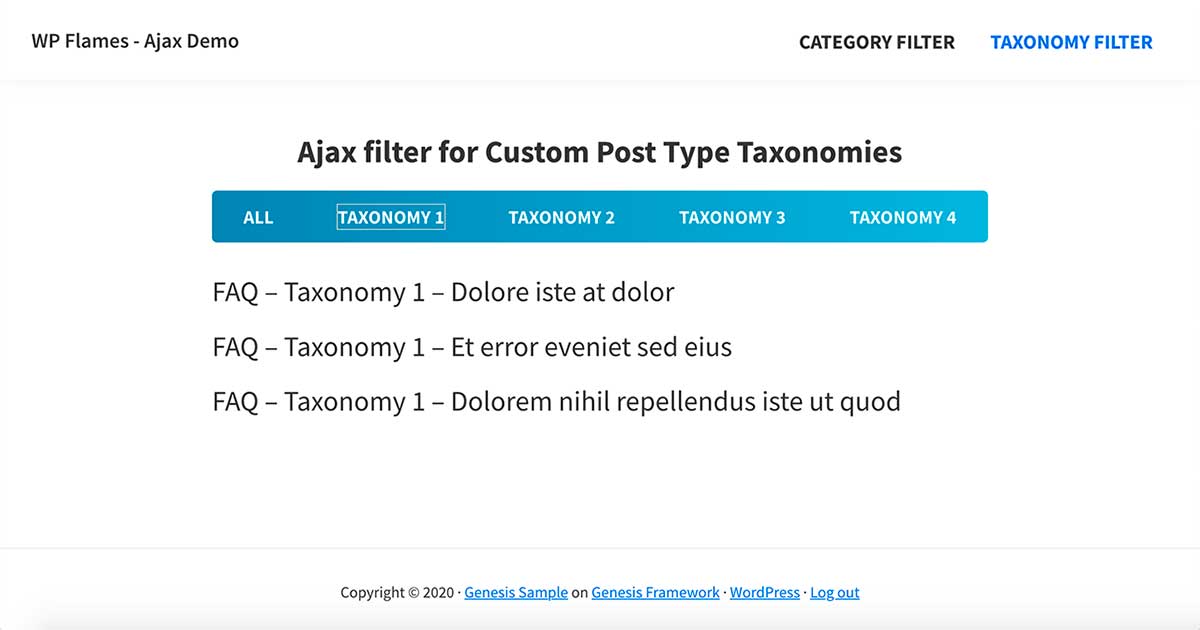
Step #1 – Create a Custom Post Type for FAQ
In this example I’m going to create a Custom Post Type named FAQ, but it could be anything You want. Please care about the taxonomy’s slug in this case “faq_cat“. You need to change it to Your custom slug.
Copy this code in functions.php
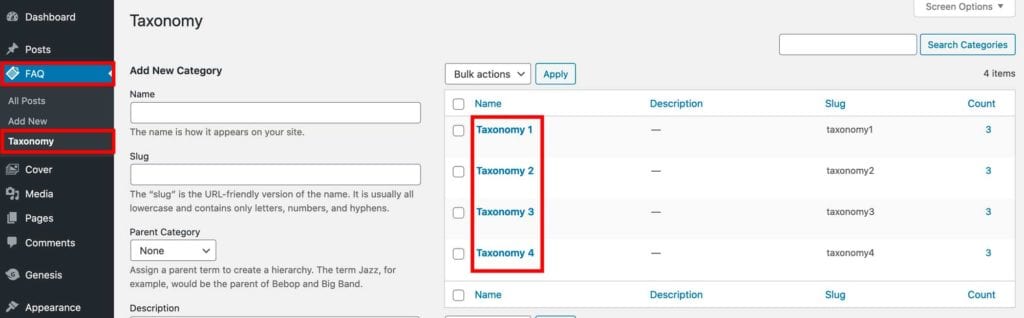
Step #2 – Create some taxonomies for FAQ Custom Post Type
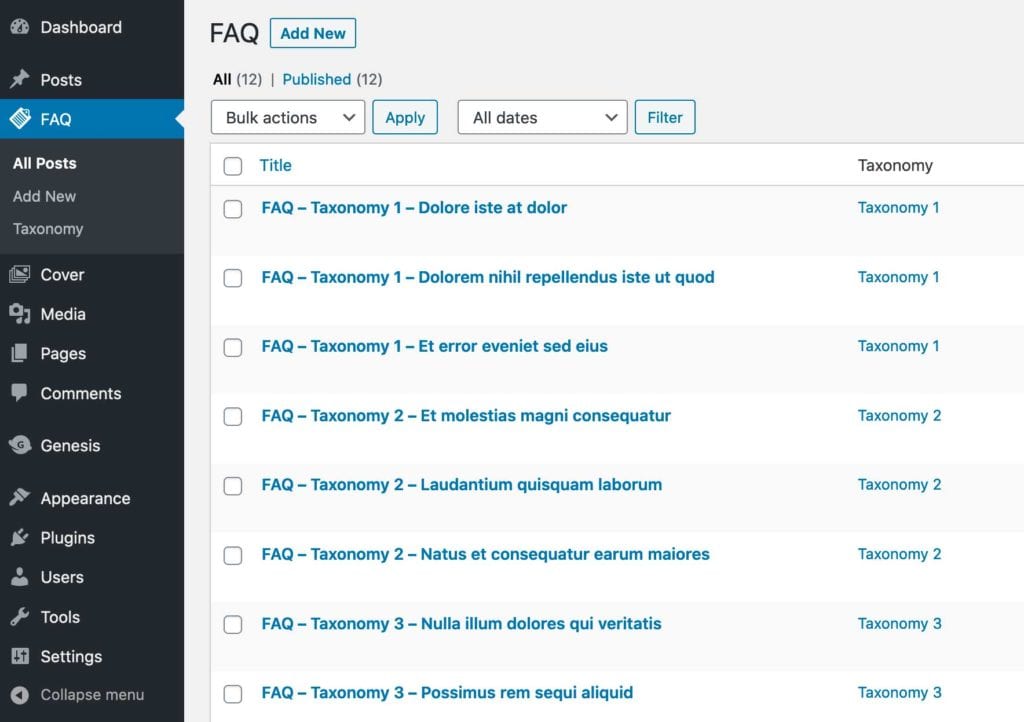
Step #3 – Create some posts in FAQ
You can download the XML file from the demo to import.
Step #4 – Enqueue scripts in functions.php
Step #5 – Build the filter
Create a file named filter.php
your-child-theme/ajax/filter.php
Find and replace the taxonomy and post type:
#6  'taxonomy' => 'YOUR_TAXONOMY'
#27 'post_type' => 'YOUR_POST_TYPE',
Step #6 – Create a shortcode from the filter
Copy this shortcode function in functions.php of your child theme
Step #7 – Place it wherever You want to display the ajax filter
[ajax_filter_terms]
Step #8- JavaScript
Create a file named ajax.js
Step #9 – Callback function
Create a file named callback.php
your-child-theme/ajax/callback.php
Find and replace the taxonomy and post type:
#14 'post_type' => $_POST['YOUR_POST_TYPE'],
#34  get_terms(array('taxonomy' => 'YOUR_TAXONOMY'
#36 'taxonomy' => 'YOUR_TAXONOMY'
Step #10 – Pull the callback in your functions.php
// =========================================================================
// AJAX FILTER CALLBACK FUNCTION
// =========================================================================
require_once('ajax/callback.php');
Step #11 – SCSS / CSS
SCSS
#ajax-filter {
  background: black;
  border-radius: 5px;
  margin: 30px 0;
  ul {
    display: flex;
    justify-content: space-between;
    padding: 20px;
    li {
      list-style: none;
      a {
        color: white;
        text-decoration: none;
      }
    }
  }
}
CSS
#ajax-filter {
    background: black;
    border-radius: 5px;
    margin: 30px 0;
}
#ajax-filter ul {
    display: flex;
    justify-content: space-between;
    padding: 20px;
}
#ajax-filter ul li {
    list-style: none;
}
#ajax-filter ul li a {
    color: white;
    text-decoration: none;
}

Leave a Reply